Single binary No cloud MCP server One binary
❯lox
Fast, scriptable CLI for the Loxone Miniserver.
Control, monitor and version your smart home from the terminal.
Script your home
Use Bash, Python or cron. Chain commands with pipes and exit codes like any Unix CLI.
For AI agents
JSON output, schema discovery, fuzzy matching, dry-run mode, structured errors, and an MCP server (
lox mcp).Terminal UI
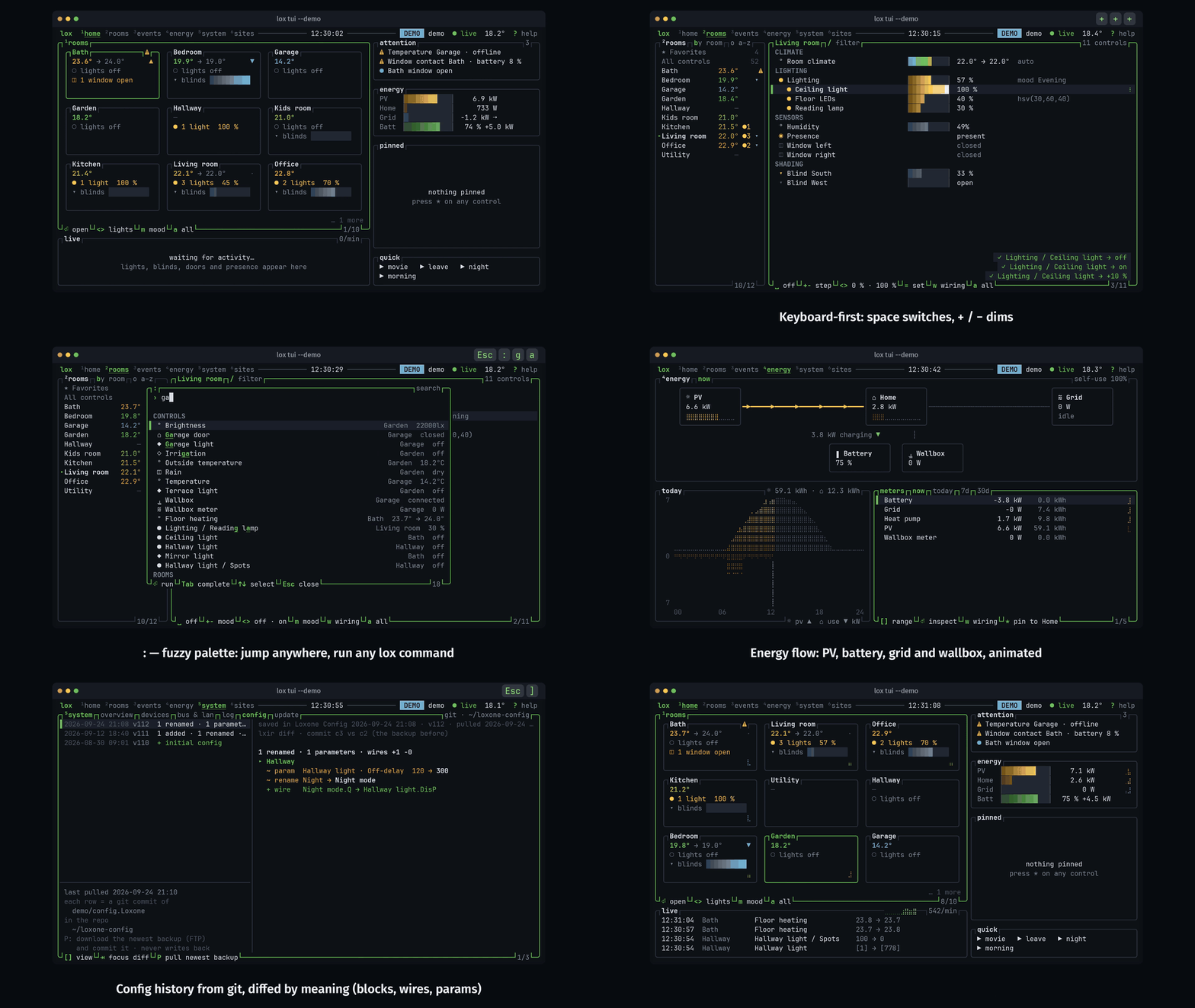
lox tui: rooms, live events, energy flow, system health and the wiring behind every control.Config as code
Write logic as
.loxl text, review it in a pull request, deploy it verified with lox config push.Real-time streaming
WebSocket state streaming with NDJSON output. Filter by room, type, or specific controls.
OpenTelemetry
Push metrics, logs, and traces to Dynatrace, Datadog, Grafana Cloud, or any OTLP backend.
Config versioning
GitOps for your Miniserver: every config change as a git commit with a logic diff.
Multi-context
Several Miniservers as named contexts. Switch with
lox ctx use or per command with --ctx.Fast
About 80 ms per command once the structure is cached. One static Rust binary.
Quick start
See it in action
Terminal
# Discover your controls
$ lox ls --type LightControllerV2 -o json | jq '.[].name'

# Control devices
$ lox on "Licht Wohnzimmer"
$ lox blind "Beschattung Süd" pos 50
$ lox thermostat "Heizung" temp 22.5

# Conditional automation
$ lox if "Temperatur" gt 28 && lox blind "Beschattung Süd" pos 70

# Real-time monitoring
$ lox stream --room "Kitchen" -o json

# GitOps config backup, and why a light is on
$ lox config pull
$ lox config wiring "Licht Wohnzimmer" --trace up
More
Install and reference
Install steps are in Getting started. The control types lox supports, with their commands, are in the README, and every command and flag is in COMMANDS.md.